Use Hybrid Vaults
Step-by-step from create-vault to multi-pool holder. For the mechanism (why backing-gated access scales YB and helps the crvUSD peg), see Hybrid Vaults (concept).
Hybrid-enabled markets carry a Hybrid badge in the markets list:

1. Create your vault
- yieldbasis.com → Hybrid → Create Vault.
- Confirm the deployment transaction (one-time, deploys your per-address minimal proxy via
HybridVaultFactory). - Select an ERC-4626 backing vault — scrvUSD by default, plus any other allow-listed crvUSD-denominated vaults. Governance can allow-list multiple options (via
set_allowed_crvusd_vault); pick the yield/risk profile you want for your backing. Only allow-listed vaults appear in the UI.
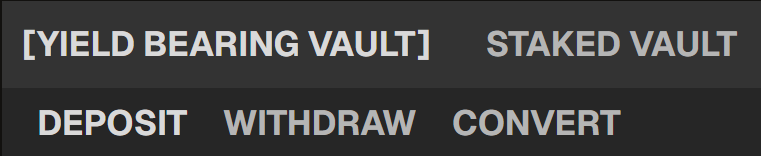
2. Deposit crvUSD backing
- Approve crvUSD for spending by your HybridVault.
- Call
deposit_crvusd(amount). The vault auto-deposits into your chosen scrvUSD vault. - Your backing balance now earns the scrvUSD savings yield while unlocking YB pool access.

3. Deposit into a YB pool
The vault enforces a stablecoin fraction (governance-adjustable; 45% since the June 2026 vote). For every $100 of crypto deposited into a YB pool, $45 of crvUSD backing is required at that fraction.
- In the UI, pick a market (BTC/crvUSD, ETH/crvUSD, etc.).
- Enter deposit amount. The UI shows:
- LT shares received (from
preview_deposit). - crvUSD required for this position (additional backing needed, if any).
- Option to auto-stake into the pool's gauge for YB emissions.
- LT shares received (from
- Confirm. If your scrvUSD balance covers the new requirement, no additional deposit is needed. Otherwise the UI prompts you to top up with
deposit_stablecoins=True.
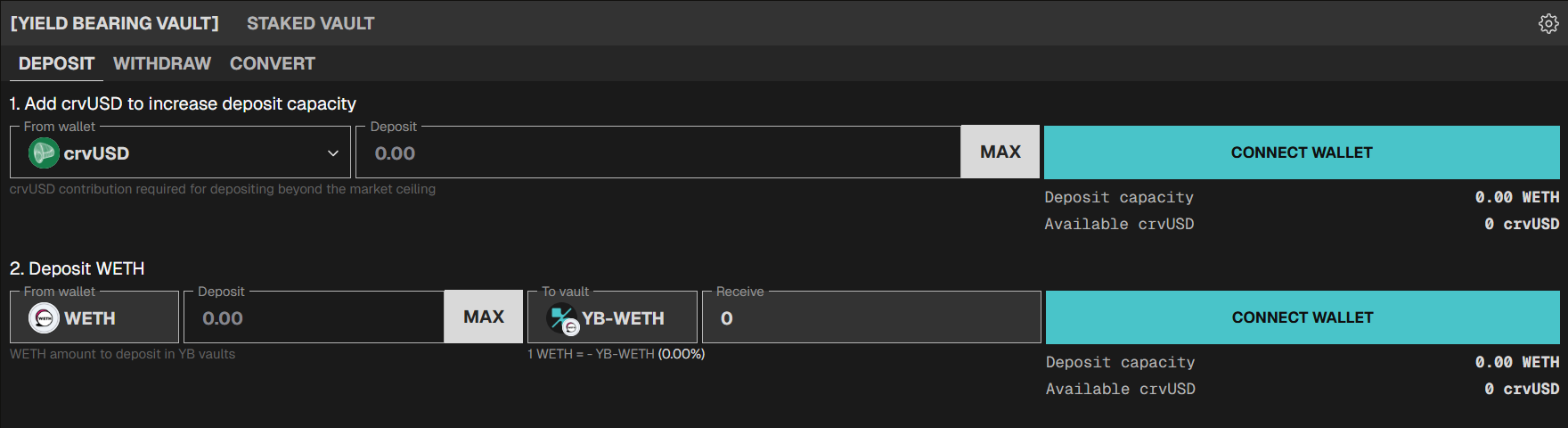
A HybridVault can hold up to 16 simultaneous pool positions (MAX_VAULTS).
4. Monitor
The dashboard shows, for each position:
- LT value — your position's value in the YB pool.
- Redemption value (via
preview_withdraw) — what you'd receive now. - Staking status — whether LT shares are staked in the gauge.
- Pending emissions — claimable YB for staked positions.
- Vault-wide backing — total scrvUSD balance, required backing, excess backing, withdrawable crvUSD.
The dashboard shows TRD directly per market. For the formula and what TRD means, see Fundamental Value, Redemption Value, and TRD.
5. Stake / unstake
Can happen at deposit time (using the stake-at-deposit option) or any time after:
- Stake — move your LT shares into the gauge to earn YB emissions pro-rata.
- Unstake — move shares back to your LT position. Emissions stop accruing.

Per Staked vs Unstaked Economics, staked positions earn YB emissions only (not unstaked PPS growth). Unstake before attempting a standard withdrawal — withdraw rejects staked shares.
6. Claim rewards
The claim-rewards action collects pending rewards from every staked pool at once and sends them to your wallet. You make one call per reward token (YB, plus any custom reward tokens set on individual gauges).
7. Withdraw
Two ways to free capital:
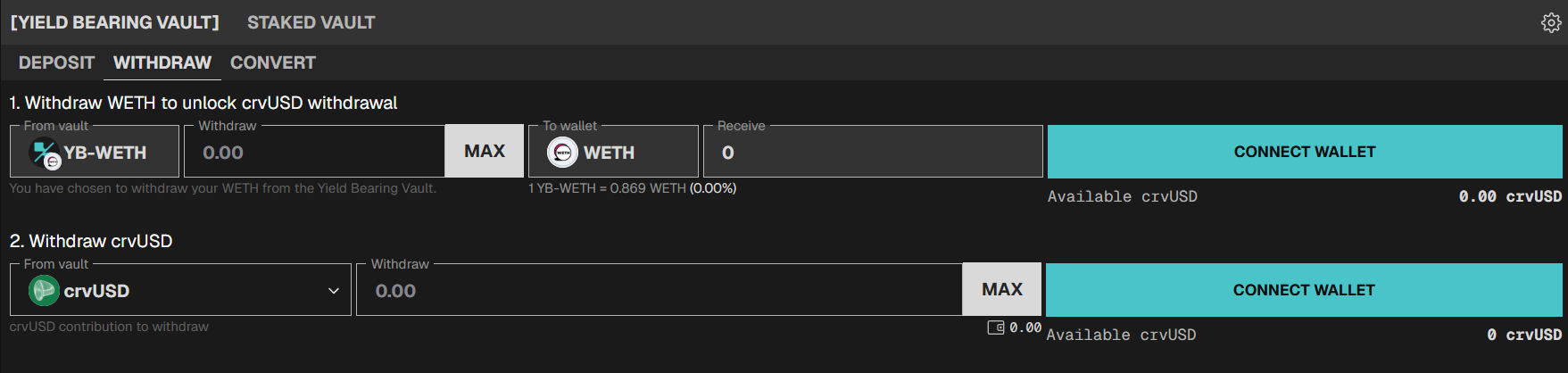
A. Withdraw LP from a specific pool
Use the withdraw action on a specific pool. The flow supports:
- Auto-unstake — if your shares are staked in the gauge, the action unstakes them first in the same transaction.
- Free excess crvUSD — if your remaining backing exceeds what's required for your remaining positions, the surplus crvUSD can be returned to your wallet in the same transaction.
Check TRD first. A negative TRD means exiting now locks in the discount as a permanent loss. If the withdrawal is not urgent, waiting for TRD to recover (typically hours) gets you a better exit price.
B. Free the full scrvUSD balance
After exiting all pool positions, use the redeem-crvusd or withdraw-scrvusd action to move the freed backing out of the vault.
8. Emergency withdrawal (fallback path)
If a pool's oracle breaks or the position is in an abnormal state, the emergency-withdraw action uses non-oracle accounting to exit.
- Unstake first. Staked shares are not accessible to the emergency path.
- Returns may be suboptimal compared to a normal withdrawal. Use only when standard withdraw fails.
- You may need to bring crvUSD from your wallet to close the position, since the oracle-dependent path for the vault's internal crvUSD rebalance may be broken.
Changing your backing vault
The change-backing-vault action rotates your backing to a different allow-listed ERC-4626 vault.
- Constraint: no active pool positions. Close all positions first.
- Old vault shares are redeemed to crvUSD and re-deposited into the new vault in the same transaction.
- Multiple allow-listed options may be available — scrvUSD plus any alternative ERC-4626 vaults governance has approved. Rotation between them is a yield/risk re-selection.
- If your current vault has been disallowed by governance, you can still withdraw — but you cannot take new pool positions until you rotate to an allow-listed vault.
Fees
The Hybrid Vault charges no deposit or withdrawal fees at the vault level. The usual YB market fees (LEVAMM trading fees, Cryptoswap trading fees, admin fee on yield) still apply to the underlying positions — those are not specific to HybridVault.